Showing posts with label Tips and Tricks. Show all posts

Monday, February 02, 2009

Making your Resume and making it Great!

I've heard it from a lot of college students, especially when they enter 2nd year, that they've got to start working on a resume. Everyone seems to be worrying about it. I worried about it too. But guess what, its not difficult to make a great resume. Its as simple as presenting yourself in the right way and selling yourself to your target employer / internship provider. Its also a skill, which when mastered not only gets you a great resume but also teaches you not to over hype or undervalue and yet convey convincingly.


So here are some myths that should be dispelled:

  • Making a Resume is a one time process: Its not. Its a continous process. Even 5-10 years down the line you would find yourself fine tuning your resume and making it better. Every new revision makes it better than the previous; a step closer to perfection.
  • I can copy off a great template and be done: You cant. The more personalized your resume is the better and more impactful it is. You must devote time and energy if you want a great resume that presents you the way you want to be seen.
  • A resume should not be attractive, decorative or graphic: Only partly true. But yes, people prefer to accept resumes that are not flowery and digress from the norm. But standing apart from the crowd with sleek and classy resume esp for the role of a layout artist or animation is not a bad idea. But of course where ever professional matters are involved, like student internships or job applications, you should stick to a simple textual resume format.

Apart from these, few additional tips:
  • Prefer to send pdf version of resumes wherever not mentioned.
  • If you submit resumes to job search sites like monster.com or naukri.com, make sure to include searchable keywords like
    - Experience
    - Responsible
    - Skill set
    - (Specific skills like Java, C, C++, portfolio management, Adobe Creative Suite etc etc.)
    but make sure that if you're not submitting your resume to public search sites, do not include phrases like "experience of x years" or "I was responsible for xwy". Instead, you should write "I was the business consultant of abc company from 2005 to 2009 where I consulted 30 firms and 20 individual clients ..." and "I handled 30% of sales from xyz department"
  • For students, you must learn to supplement project details with credibility, like a web link or mention of a certification, grade etc. Rather than explain a lot about the project and what you learnt, write your contribution to the project and briefly touch upon what you picked up and learnt.
  • Do not attach resumes with your mail while mailing professors for internships or for a job. Instead, upload your resume on google sites or another such free hosting service and provide a link within your mail. Most professors receive a bunch of spams with attachments that fill up their inbox. As a result they have stringent anti spam filters. You dont want your application going into their spam list, do you?
HANDY TIPS FOR PROFESSIONALS:
  • List jobs first, and in reverse order.
    List your most recent job at the top and the rest in descending order. This is the order employers/recruiters expect to see your experience; don’t disappoint or confuse them. A rare exception to the rule: if you are graduated from a prestigious college and you’re working at a filler job. All you Harvard degree graduates who are scooping ice cream, list your Harvard education first.
  • Omit your mailing address.
    Who is going to contact you by snail mail anyway? Your email address and cell phone number is all anyone needs to contact you. With your resume floating around the internet, keep some information private.
  • Include accomplishments in addition to responsibilities.
    If you made a suggestion that your boss used, if you saved your company money, if you streamlined the work process, it counts. Don’t be shy about highlighting accomplishments on your resume. Back them up with statistics, if possible. How much money did you save the company? What percentage of the budget was it?
  • Keep the resume concise.
    Stick to one page, unless you have been working ten or fifteen years. If early jobs are not relevant, leave them off.
  • Never stop revising.
    As I said earlier, your resume can always be improved so keep tweaking it. Add a better word, a better phrase, a new accomplishment. Keep old versions of your resume in case you need information that you previously deleted.
  • Don’t Lie.
    You knew this would be on the list. Employers routinely check job histories and education claims. Lies about either your job history or degree are the easiest for employers to uncover. The newly named dean of admissions at MIT lied on her resume when applying for a clerical job twenty-eight years ago. With the promotion in the works, her lies were discovered and she was fired. Never lie!
  • Omit the Ugly.
    Mediocre grade point average? Leave it off. Have a 4.0? Put it front and center. Not all information is mandatory. Some people omit listing jobs they only held a short time or that might give them a bad reference. However, if the omission creates a gap that you are asked about in an interview, remember tip number one: don’t lie.
  • Mind the Gap
    I know someone who waitressed a couple of years after college. She omits her graduation year from her resume so there is no obvious hole, but no lies either.

FOR INTERVIEWS AND JOB APPLICANTS

The resume is a tool with one specific purpose: to win an interview.
If it can do that, its a great resume. If not, it isnt. simple. Theres no great formula to it. Its just art and practice, but if you follow the right guidelines, more often than not it will work positively.

Most importantly you should learn that a resume convinces the employer that you have what it takes to be successful in this new position or career.
Also, it should be readable. The reader should want to read more. Not throw it away in favour of the next resume in the list...

SOME SAMPLE STARTING POINTS (RESUME TEMPLATES)
Remember that these are not end products. They are the starting points. You must personalize and build on them to make your great resume.

College Students:

Professionals

Additional resources:
Resumes arent everything. At many places, you will need to supplement them with a cover letter and a good email (esp if you're mailing a professor for an internship). Here are some good websites for that:
Instead of giving you tips for cover letters, here's what an employer said about the 12 cover letters he received for a job post:
11 of the 12 resumes had cover letters which is actually pretty good because if you skip that step, you simply look unprofessional. The problem is that they all of the cover letters looked exactly the same and had the same message.

" Blah, blah, blah very qualified and a good fit into your company...blah, blah..."

There was nothing at all that made me want to read the resume. It's unsettling because the last thing I want is an "ordinary" salesman. I want to hire someone that stands out a little and the cover letter is your one chance to make a connection with someone you may never meet.

Some Resume FAQs: http://www.resume-help.org/resume_faqs.htm


So begin your resume writing journey now, and enjoy the benefits. All the very best.

Friday, December 26, 2008

Trace a mobile number in India

Well, if you own a mobile phone in India, you have definitely gotten missed calls, many times from unknown sources. Some of you might have got unsolicited calls from strangers, or even friends posing as strangers at times.


So here is a trick that can get you to know more about an unknown mobile number anywhere in India.

Check this page out: http://en.wikipedia.org/wiki/Mobile_telephone_numbering_in_India

It gives a detailed analysis of the area and network provider of the mobile number.
So next time anyone plays a prank, or if u have an unknown number, you know how to know more :P

Sunday, August 26, 2007

Tutorial: Install Ubuntu Studio Theme

The Ubuntu Studio theme is a cool and amazing theme for your Ubuntu!


Recently, I described how to get your Ubunto to clone the Vista glass effect and other effects introduced by M$. However After an experience of beryl and Ubuntu Studio, I was convinced this is more stylish!


Ubuntu studio is generally targeted at users who need to be creative and productive. And its got the added style factor to it too. (Although many are content with standard beryl effects, which outperform vista's aero any day :)).
Here is a better description:

Ubuntu Studio is a variant of Ubuntu that concentrates on three creative tasks: video editing, audio recording and graphics.

Ubuntu Studio is based on the Feisty Fawn release of Ubuntu but does away with Ubuntu's default orange/brown theme in favour of a sexy charcoal gradient affair with highlights of a nice neon blue.

Certainly for audio recording, people should pay Ubuntu Studio a look-in. There is a large array of tools preconfigured on a low-latency kernel making real-time recording and processing manageable.

Well that was about Ubuntu Studio itself(Read more abt it here); this tutorial will tell you how to install the "theme" on Ubuntu 7.04.

Get to the good old terminal and follow these steps:

  1. Add a new repository:
    $ sudo su -c 'echo deb http://archive.ubuntustudio.org/ubuntustudio feisty main >> /etc/apt/sources.list'
  2. Get the key and Install it:
    $ wget -q http://archive.ubuntustudio.org/ubuntustudio.gpg -O- | sudo apt-key add -
  3. Update the repository:
    $ sudo aptitude update
  4. Install the new theme:
    $ sudo aptitude install ubuntustudio-look

...And that should just about do it! Enjoy!

Tuesday, July 10, 2007

Slideshow on KDesktop Background (KUbuntu)

This is for the Linux users out there. (Im on KUbuntu now..so thats the reference Ill use)

If you want a little variety in your desktop background without continually having to change it yourself, use a slide show for your KDesktop Background.
You can set the time interval that you want the background to change, the order and the images that the slide show will use.


  • - Right-click the desktop and select Configure Desktop.
  • - Select Background from the left pane.
  • - On the right, in the Background section, select the Slide Show radio button.
  • - Click the Setup button.
  • - Select the time interval (in minutes) that you want the desktop background to change.
  • - To show the images in random order, check the Show pictures in random order checkbox. Leave this unchecked if you want to determine the order that the images will be displayed.
  • - Click the Add button.
  • - Browse to the directory containing the desired images.
  • - Select the images. You can select multiple images by holding down the ctrl key while selecting.
  • - Click OK.
  • - You will then see the images that you selected in the list for the slide show. Use the Move Up and Move Down buttons to place the images in the order that they are to be displayed.
  • - Click OK to close the Setup Slide Show window.
  • - Click OK to close the Configure KDesktop window.

Monday, July 09, 2007

How to bypass Rapidshare download limits and time limits

For those ignorant amongst you, rapidshare.com is a file sharing website which allows you to upload and share large files with anyone over the internet for free.


Rapidshare is frequently used to transfer large video files. Programs, music, videos, and other such files are frequently available from download this way.

Rapidshare traces the users IP address to limit each user to a certain amount of downloading per day. To get around this, you need to show the rapidshare server a different IP address.

Here are some methods for doing this:

1. Short-Out the JavaScript:
Note: This method is to get around the 1 minute delay before your download starts. I hate it when rapidshare tells me to wait 45 seconds before my download begins. (Or else, get a premium paid account ;))


    1. Goto the page you want to download
    2. Click on the Free button to initiate the download when prompted to choose
    either Premium or Free.
    3. In the address bar put the following:
    javascript:alert(c=0);
    or this:
    javascript:var c=0;

    4. Click OK
    5. Click OK to the pop-up box
    6. Enter the captcha
    7. Download Your File

    Note: You can right click on the above link and click on Add to Favorites (IE) or Bookmark this Link (Firefox) to add the hack as bookmarklet.

2. Crack & Disable Download limit: Request a new IP address from your ISP server.
Here's how to do it in windows: (For Linux users, is a detailed version)
  1. Click Start
  2. Click run
  3. In the run box type cmd.exe and click OK
  4. When the command prompt opens type the following. ENTER after each new line.
    • ipconfig /flushdns
    • ipconfig /release
    • ipconfig /renew
    • exit
  5. Erase your cookies in whatever browser you are using.
  6. Try the rapidshare download again.
Frequently you will be assigned a new IP address when this happens. Sometime you will, sometimes you will not. If you are on a fixed IP address, this method will not work.

3. Use an anonymous service:
    Running your system through the tor network should in theory work; however, it is difficult to use and setup. Plus, you allow others to run their evil deeds through your system as well by using this system.

    JAP is another free anonymous proxy service that you can use. (search for it on google).

    Anonymizer 2005 is inexpensive, easy to use, but not free. Other pay services would likely work as well.

    You could various proxies that come as addons for firefox as well

There is another method that uses a MAC cloning software to change your MAC address so that your ISP provides you a different IP Address next time you connect. You can avoid the 1 hour gap bw downloads using this method.

I know these methods are not the greatest, but I have not found anything else that works as painless as these.

Friday, July 06, 2007

Website and other Templates

Some free website template download sites...Im trying to build a list for future reference and this is the starting point. Ill add on to it as time progresses...

http://www.freshtemplates.com/
http://www.zerodollartemplates.com/
http://www.effex-media.com/
http://www.templatesbox.com/
http://www.mastertemplates.com/free-templates.htm
http://www.templateyes.com/
http://www.templateworkz.com/
http://www.4layouts.com/
http://www.templatehunter.com/topsite/in.php?id=4layout
http://www.freetemplates.ca/templates/
http://www.freephotoshoptemplates.com/index.html
http://www.freewebtemplatesnow.com/
http://www.zymic.com/
http://www.adesdesign.net/
http://www.notemplates.com/
http://www.freepsd.com/
http://www.zeroweb.org/

Add on any other sites you might know of as comments...

Thursday, July 05, 2007

Make Ubuntu look like Vista

Get the best of both!

Whats so good about Vista besides the **grafix**? Arguably, not much.
And we all know whats so Good about Linux, dont we? Everything.
Get the best of both - The Vista Grafix on you Linux Distro! Since ive been using Ubuntu as my lean, mean and reliable OS, here are some steps for getting the 'Aero' glass effect on Ubuntu:

1.Get Ubuntu

If you are not already using it,
download Ubuntu from ubuntu.com.


2.Get the Vista fonts

You need the microsoft segoe UI font.
Look at the second post in this Forum

Unzip the downloaded archive and place the two .ttf files in your .fonts directory.
You can find it in your user folder ./home/$USERNAME/.fonts/
For example: /home/kimmik/.fonts

If the directory .fonts does not exist, create it.

3.The Aero Clone Theme

Download the Aero-clone theme from Gnome-look.org

Go to the download site >>

Install the Beryl and GTK theme as usual

4.Icons


Download the nuoveXT-aero iconset

Go to the download site >>

Install the nuoveXT-aero iconset

5.Panel


Change the gnome-panel size to 32px height

6.Vista Start Button Screenlet


Download and install "Desktop Screenlets"

Go to the download site >>

Install the "orb" screenlet (The orb screenlet is included in the .tar.gz from gnome-look.org).

Place the orb screenlet above the main-menu button and lock the position.

7.Wallpapers

If you want to make the experience complete download some Vista wallpapers for your desktop.
I found very good wallpapers on this forum:

WinMatrix-Forum: Overview of Vista Wallpapers >>

WinMatrix-Forum: Official Vista Wallpapers >>

WinMatrix-Forum: Vista Wallpapers which aren't included in Vista per default >>
As for me, Im content with my enlightenment e17 on my Ubuntu. Will try out the vista effect later. Tell me about it if u tried...or if I missed out some further customizations.

Wednesday, July 04, 2007

How To Prevent Windows XP Users From Writing To USB Drives


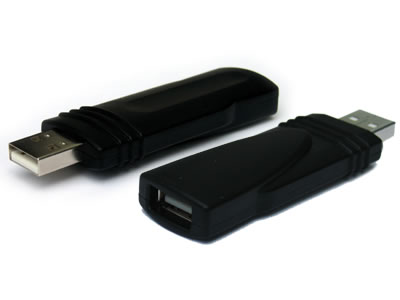
USB drives are extremely handy tools, but in some instances it might not be a good idea to allow users to write onto these devices from their PCs.

This is especially true when working with highly confidential data or intellectual property at work.

Users of Windows XP with service pack 2 installed can disable writing to USB devices.

To do this:

Open the Registry Editor click on the Start button on your taskbar, then click on Run and type "regedit" and click on OK to start the regedit utility.

Expand HKEY_LOCAL_MACHINE\System\CurrentControlSet\Control.

From there right click and create a new key and name it "StorageDevicePolicies".

In the window on the right then create a new DWORD value and label it WriteProtect, give it a value of "1" and users can no longer write to USB drives.

To re-enable this option change the value to 0 and users are again allowed to write.

The modifications you made will be in effect after you reboot your PC.
Have Fun!

PS: Ofcourse, If someone has played this trick on you, you know how to get around now, dont you? ;)

Sunday, July 01, 2007

A small tip for Webmasters: Search Engine Optimization

Something New that I noticed recently is that many websites which rank highly in search engine rankings have a:

<link rel="archive" href="archive pages">
in their head.

Anything in the link is not displayed by the browser but is seen by the search bots.

In a way these links are helpful in allowing search bots index the pages in the links although the links are not displayed to the user.

You can use this feature to make search bots
index the pages which are not linked through your main page. This makes your website more cohesive and easily searchable by the search bots.

Great way to include standalone pages not referenced anywhere else!

However, Google does provide other ways of doing this, one of them being the creation of a separate index page with all links.
Check up Google Webmasters Central for more information on how you can make your site better indexed by Google.

A small note: Probably in the latest web 2.0 standards, this method has become defunct. Im not sure of it, correct me if im wrong. However, backward compatibility does remain for a long time.